Features Guides Blog Get the app

Strength Training Planner

A personalised plan, designed around your goals

Not a spreadsheet. Not a PDF template you fill in once and follow blindly for months. A plan built around your goals and equipment — that keeps adjusting every session, based on how you're actually recovering.

Download on the App Store

Foundation pricing now available for new members
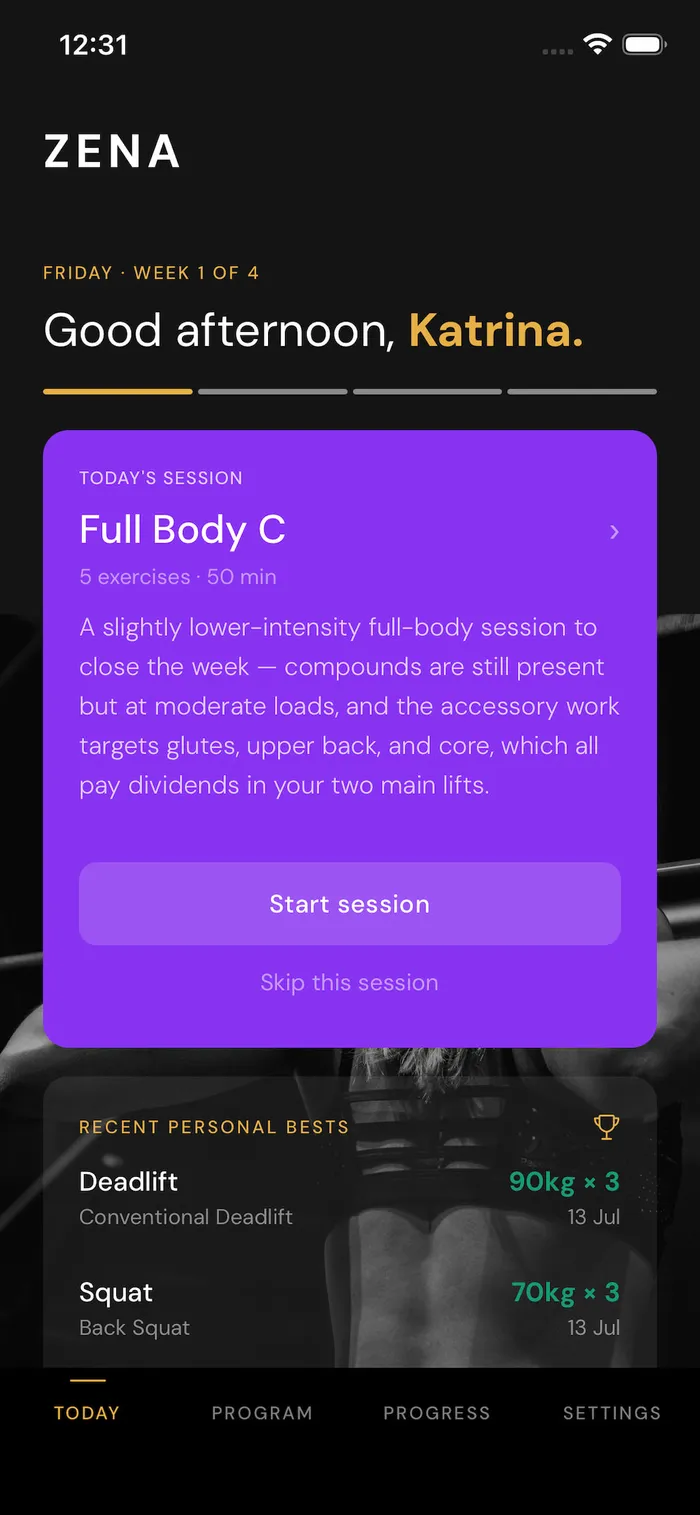
Zena app Today screen showing a Full Body strength session and recent personal bests for deadlift and squat
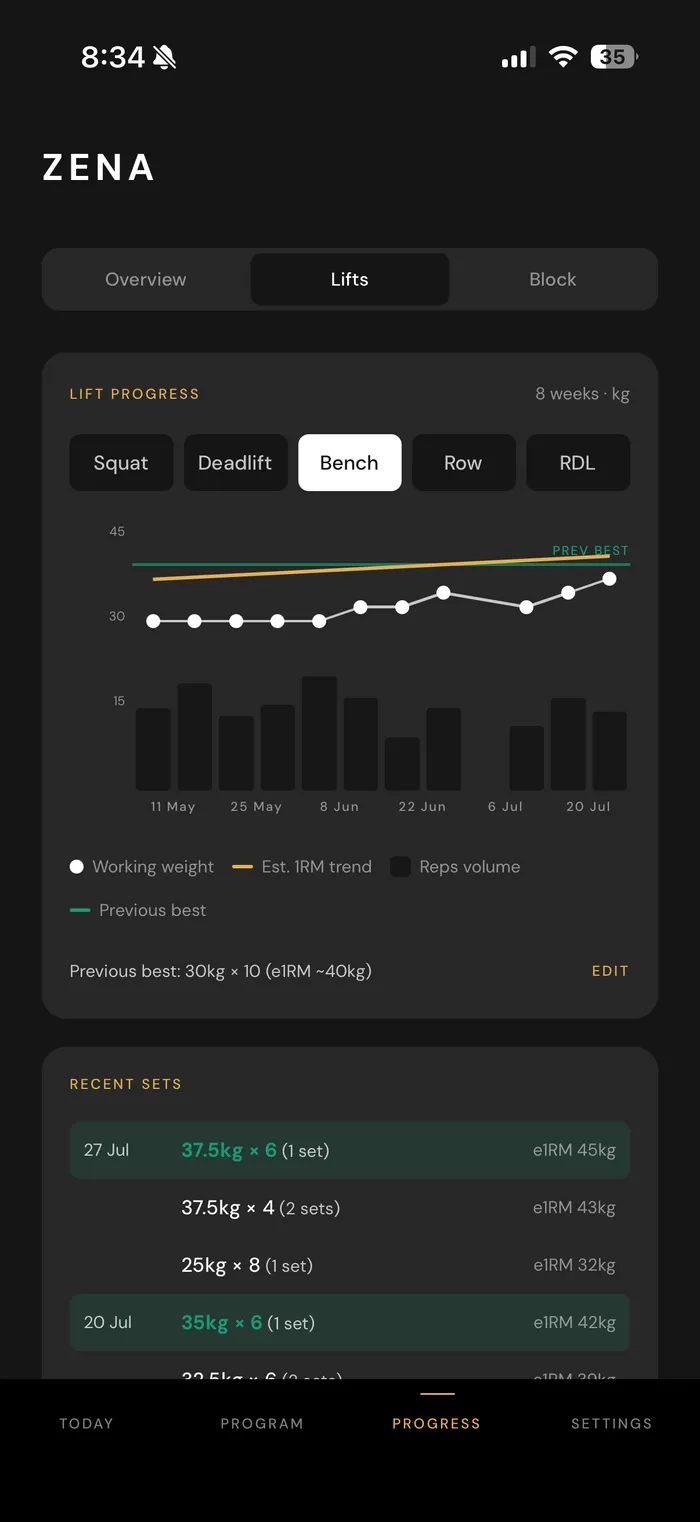
Zena app progress screen showing an 8-week bench press trend chart with working weight, estimated 1-rep max, and recent logged sets

How it works

Train smarter (not just harder)

Customisable programs

Your goals, your current strength, and the equipment you actually have. Not a one-size template.

Adjusts as you train

Sleep, HRV, resting heart rate — read before every session, so your plan updates with you, not just on paper.

See your progress

Personal bests, working weight, and trend lines — tracked automatically, so progress is something you can see, not just hope is happening.

Import any plan

Already have a program from a trainer or a spreadsheet? Import it — Zena adds the coaching layer on top.

Reach your goals

Create a personalised strength training plan.

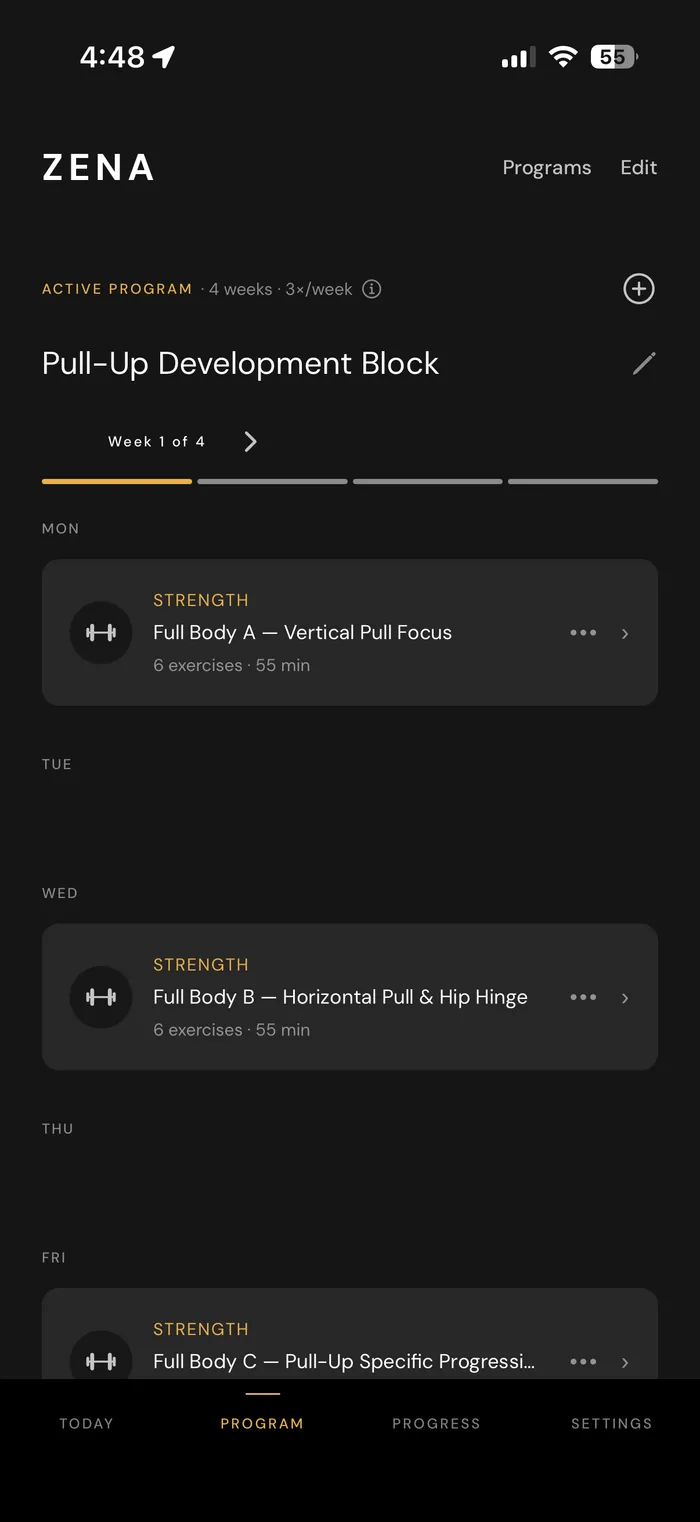
Want to learn how to do a pull-up? Increase your squat or deadlift weight? Or just get back into training after a break. Zena creates personalised programs based off your current strength, equipment, injuries, and how you want to train.

Zena app showing a 4-week Pull-Up Development Block program, with each day's workout laid out for the week

Know when to push

See how you're actually recovering

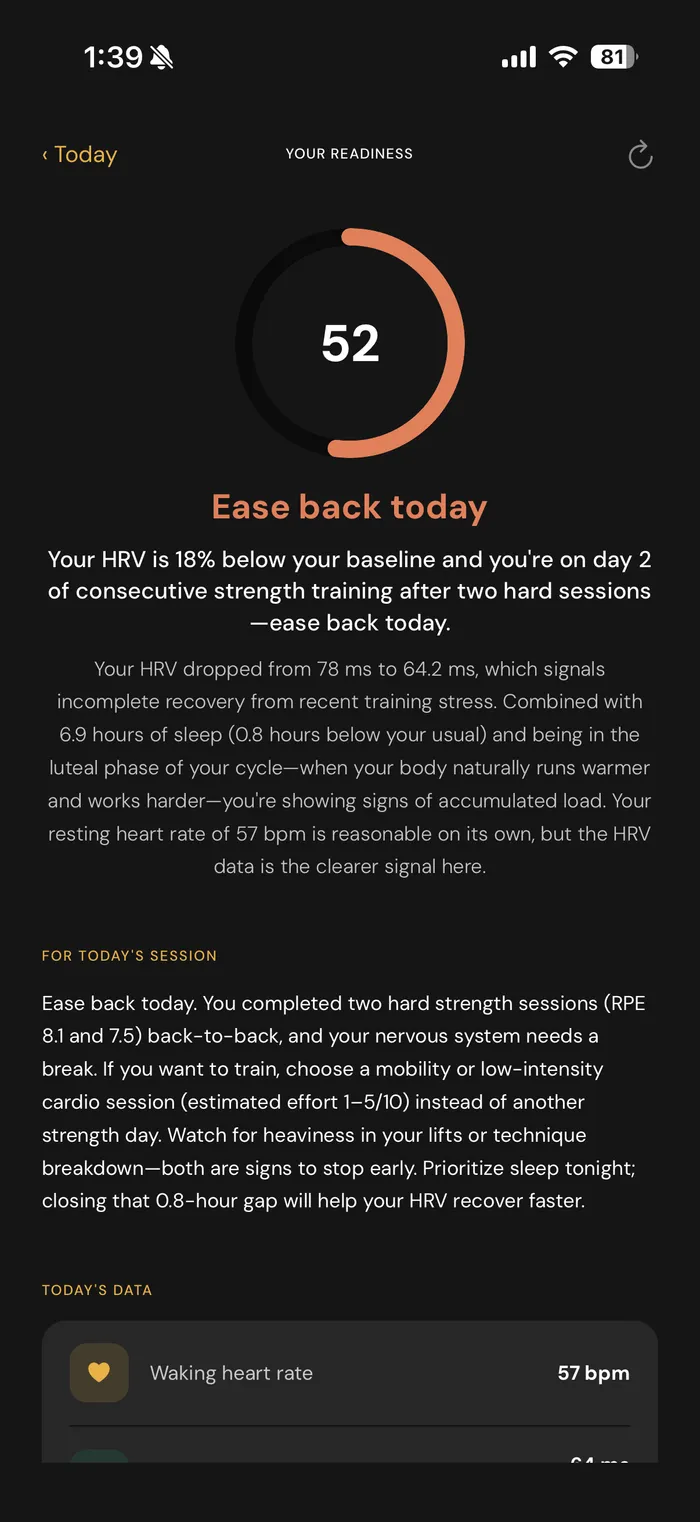
Sleep, HRV, resting heart rate, and a proprietary waking heart rate signal helps you see how you are recovering so you know when to push and when to ease off.

Zena app readiness screen showing a score of 52, an 'Ease back today' recommendation, and the HRV, sleep, and cycle data behind it

Get real-time feedback

A virtual coach built into every workout

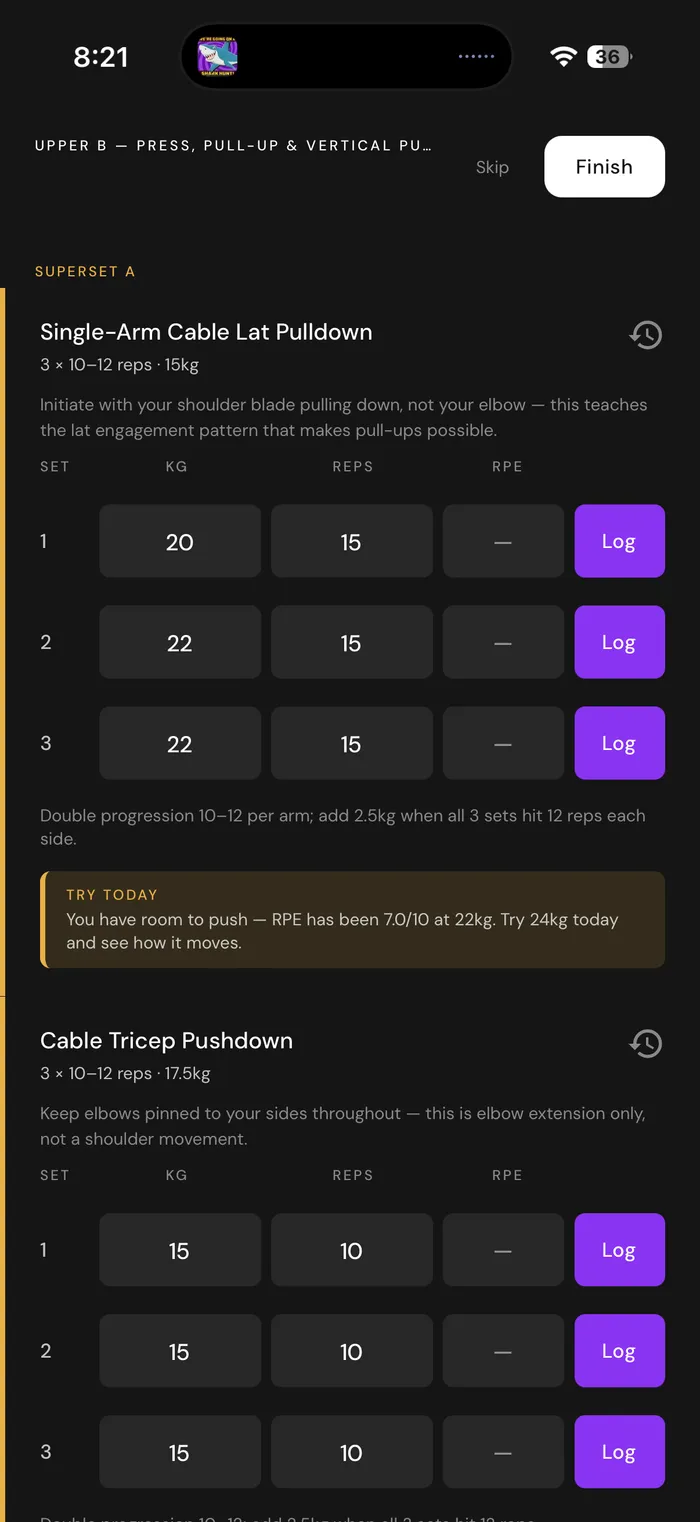
See past performance, and get in-app reminders when you're ready to go up in weight. Based on your actual performance and recovery data.

Zena app workout logging screen for a Deadlift & Glute Focus session, showing set-by-set weight and rep targets with a note on why the starting weight was chosen

Every program is uniquely yours. Helping you reach your training goals, quicker.

Generic training plans can slow your progress. Want to increase your squat by 10% and get a first pull-up at the same time? Most programs are generalised strength training or built around a single focussed goal. Zena helps you create a customised program, designed just for you, no matter what your goals are.

Ready to train with a virtual coach that can see how you're recovering?

Download on the App Store

Common questions

Everything to know before you plan your training

Most strength training planners are static. A spreadsheet or PDF template you fill in once and follow for months, with no way to know if it's still right for you by week six. Strength training planners are great at helping take the thinking out of planning your workouts, but a one size fits all approach doesn't account for your unique progress and recovery needs.

What makes a good strength training planner?

The best ones adapt, not just lay out sets and reps in advance. A plan built on day one has no way to know how week six is actually going. Whether you're recovering well, whether a lift has stalled, whether an old injury is flaring up.

When should I use a strength training planner?

Any time you want your training to actually go somewhere, rather than just showing up and winging it each session. That's especially true when you're starting a new program, training toward a specific goal, coming back after time off, or stuck at a plateau without knowing why.

What should a strength training planner actually include?

At minimum: exercises, sets, reps, and load, with a clear plan for progression over time. The best ones go further and account for recovery too — how much you can actually handle this week, not just what looked right on paper when the plan was written.

Is there a free strength training planner?

Zena comes with a free 2 week trial so you can test it out and see if it's right for you. Generate your own custom plan and give it a go. Or check out our blog for free example programs to help you get started.

How often should I update my strength training plan?

The exercises and structure typically hold for a 4–6 week block. The day-to-day details — how much weight, how many reps, whether to push or ease off — should really be updating every session based on how you're recovering, not waiting for the next planned revision.

Can I use a strength training planner if I have an injury?

Yes, but a plan that doesn't know about the injury isn't actually helping you around it. A planner that adapts should let you flag what you're working around and adjust the exercises and load accordingly, not hand you the same generic program regardless.

What's the difference between a workout planner and a workout tracker?

A planner designs the program ahead of time; a tracker logs what actually happened afterward. Most tools do one or the other, which means the two pieces never talk to each other. Your history doesn't inform your next plan. Zena does both in the same place, so each session's plan is informed by what actually happened in the last one.

The only competition
is past you.

No leaderboards. No benchmarks against anyone else. Progress is measured against one person only — you.

Available now

Start your free 14-day trial today

Strength training built for your goals, your equipment and your body. Download Zena and start your first program in minutes.

Available now for iPhone.